How to Fill Out Each Section of the Business Model Canvas (With Examples)
Are you staring at a blank Business Model Canvas and have no idea where to even begin?
You’re not alone. Most small business owners either skip the canvas entirely or fill it out so vaguely it becomes useless, just a pretty diagram hanging on the wall.
Here’s the truth: when you know how to fill out each section properly, the Business Model Canvas becomes one of the most powerful one-page strategy tools you’ll ever use. It shows you exactly how your business creates value, delivers it, and makes money from it, all at a glance.
In this guide, I’ll walk you through how to fill out the Business Model Canvas section by section, with real examples and the questions you should be asking yourself at each step. And if you want to skip ahead and start working in a guided template, grab the free Business Model Canvas Notion template here, it’s pre-loaded with guiding questions for every block.
Let’s get into it.
What Is the Business Model Canvas (and Why Does the Order Matter)?
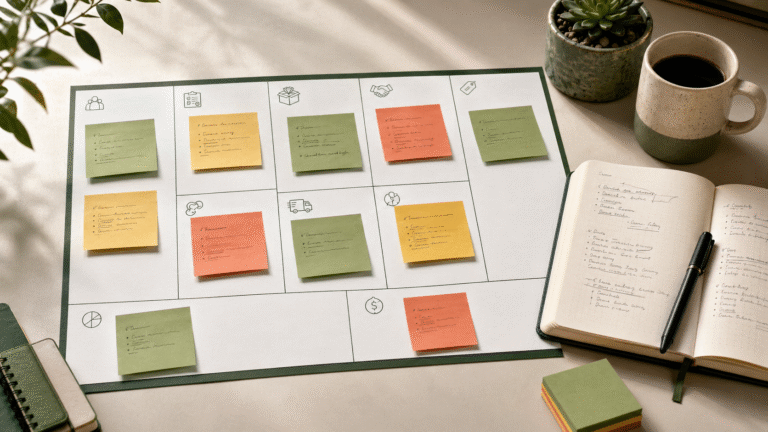
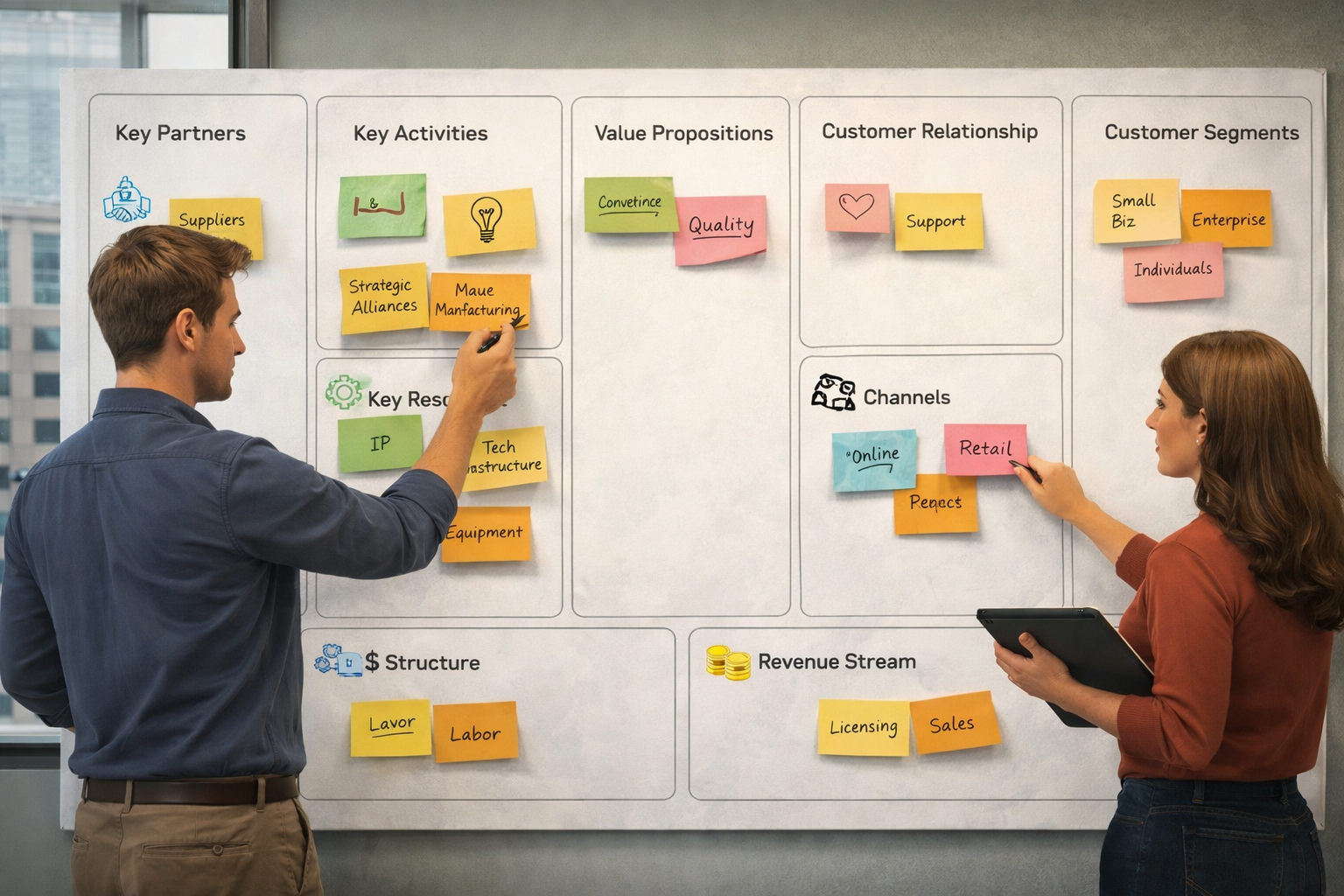
The Business Model Canvas (BMC) is a one-page framework developed by Alexander Osterwalder that maps out the nine essential building blocks of any business. It covers your customers, your offer, how you reach them, how you make money, and what it costs to run everything.
Here’s the key thing most people miss: there’s a natural order to filling it out. Starting in the wrong place leads to vague, disconnected answers. The order below is designed to help you think through your business logically, from your customer outward.
The 9 Sections of the Business Model Canvas: Step-by-Step
1. Customer Segments: Who Are You Serving?
This is always the starting point. Everything in your business model flows from your customer, so before you write anything else, get clear on who you’re actually building this for.
Ask yourself:
- Who are my most important customers?
- Are they individuals or businesses (B2C or B2B)?
- What do they have in common, age, industry, problem, behavior?
Example: A freelance brand designer might have two customer segments: early-stage startup founders who need a brand identity from scratch, and small retail businesses that need a visual refresh.
Pro tip: Don’t just write “small business owners.” Get specific. The more precise you are here, the sharper every other section becomes.
2. Value Propositions: What Problem Are You Solving?
Your value proposition is the reason someone chooses you over everyone else. It’s not a tagline, it’s a clear statement of the value you deliver to a specific customer segment.
Ask yourself:
- What problem am I solving or what need am I fulfilling?
- What makes my offer different or better than alternatives?
- Why would someone pay for this?
Example: For the brand designer above, the value proposition for startup founders might be: “A complete brand identity in 10 days, designed to attract investors and early customers, without the agency price tag.”
Note that you may have a different value proposition for each customer segment. That’s normal and healthy.
3. Channels: How Do You Reach Your Customers?
Channels are how you communicate with your customer segments and deliver your value proposition. This includes both marketing channels (how they find you) and delivery channels (how they receive your product or service).
Ask yourself:
- How do customers discover me right now?
- What channels do I use to sell and deliver?
- Which channels are most efficient?
Channel types to consider: social media, email marketing, referrals, search engines (SEO), direct sales, partnerships, online marketplace, physical store, app.
Example: The freelance designer reaches startup founders through LinkedIn content and referrals, and delivers the final brand package through a shared Notion workspace and Google Drive.
4. Customer Relationships: How Do You Interact With Them?
This block defines the type of relationship you build and maintain with each customer segment. Are you hands-on and personal, or mostly automated?
Ask yourself:
- Do I work with clients one-on-one or in groups?
- What keeps customers coming back?
- How do I acquire new customers and retain existing ones?
Relationship types: personal assistance, self-service, automated service, community, co-creation, subscription-based.
Example: The designer offers a personal, high-touch experience during the project, then moves to a self-service model post-delivery (clients get a brand guidelines document they can use on their own).
5. Revenue Streams: How Do You Make Money?
Now we get to the money. Revenue streams describe how your business actually earns income from each customer segment. Be specific, don’t just write “sales.”
Ask yourself:
- What are customers currently paying for?
- How do they prefer to pay (one-time, recurring, per use)?
- Are there revenue streams I’m not using yet?
Revenue types: one-time sales, subscription fees, licensing, consulting fees, affiliate income, advertising, freemium upgrades.
Example: The designer earns through project-based fees (one-time), a brand maintenance retainer (recurring monthly), and a self-paced brand course sold on Gumroad (passive income).
6. Key Resources: What Do You Need to Deliver Your Value?
Key resources are the assets your business must have to operate and deliver on your value propositions. These can be physical, intellectual, human, or financial.
Ask yourself:
- What resources do my value propositions require?
- What resources do my channels and customer relationships require?
- What would break if I lost it?
Example: For the designer: Adobe Creative Suite (physical/digital), a portfolio website (intellectual), and their personal brand and reputation (human). Without these, they can’t deliver.
7. Key Activities: What Must You Do Every Day?
Key activities are the most important tasks your business performs to make everything else work. These are not every task you do, only the ones that are essential to delivering your value proposition.
Ask yourself:
- What activities are critical to my value propositions?
- What activities support my channels and customer relationships?
- Where do I spend most of my productive time?
Activity types: production, problem-solving, platform/network management.
Example: The designer’s key activities are client discovery calls, design work, client feedback sessions, and content creation for LinkedIn (which drives new leads).
8. Key Partnerships: Who Helps You Succeed?
Almost no business runs in isolation. Key partnerships are the external companies or people you rely on to make your business model work.
Ask yourself:
- Who do I outsource work to?
- What suppliers or tools am I dependent on?
- Are there strategic alliances that reduce my costs or expand my reach?
Partnership types: suppliers, strategic alliances, joint ventures, referral partners, software/tool providers.
Example: The designer partners with a web developer (to hand off clients who need a website after branding), a copywriter (for brand messaging work), and relies on Canva and Adobe as key tool partners.
9. Cost Structure: What Does It Cost to Run?
The final block. Cost structure maps out all the costs involved in operating your business model. Once you’ve filled in everything above, many of your costs will become obvious.
Ask yourself:
- What are my biggest fixed costs (costs that don’t change with volume)?
- What are my variable costs (costs that grow as I do more business)?
- Where do I spend the most money?
Example: The designer’s fixed costs include software subscriptions, their website hosting, and a virtual assistant. Variable costs include contractor fees (copywriter and developer) and Stripe transaction fees on each sale.
A Quick-Reference Summary: All 9 Blocks
| Block | Core Question |
|---|---|
| Customer Segments | Who are you serving? |
| Value Propositions | What problem do you solve? |
| Channels | How do customers find and receive your offer? |
| Customer Relationships | How do you interact and retain customers? |
| Revenue Streams | How do you make money? |
| Key Resources | What assets does your business need? |
| Key Activities | What must you do to deliver value? |
| Key Partnerships | Who do you rely on? |
| Cost Structure | What does it cost to run everything? |
Common Mistakes to Avoid When Filling Out Your BMC
Mistake #1: Being too vague. Writing “everyone” as your customer segment, or “great service” as your value proposition, makes the canvas useless. Specificity is everything.
Mistake #2: Filling it out alone and never revisiting it. Your business model is a living document. It should evolve as your business does. Review it at least once a quarter.
Mistake #3: Starting with revenue or cost instead of customers. Always start with your customer segments. Every other block should serve that starting point.
Mistake #4: Treating it as a one-time exercise. The real value comes from using the canvas to test assumptions and spot gaps in your model, not just documenting what already exists.
Get Started With the Free Notion Template
If you want to work through this process in a structured, guided format, I’ve created a free Business Model Canvas Notion template that includes guiding questions inside every single block, so you’re never stuck staring at a blank space.
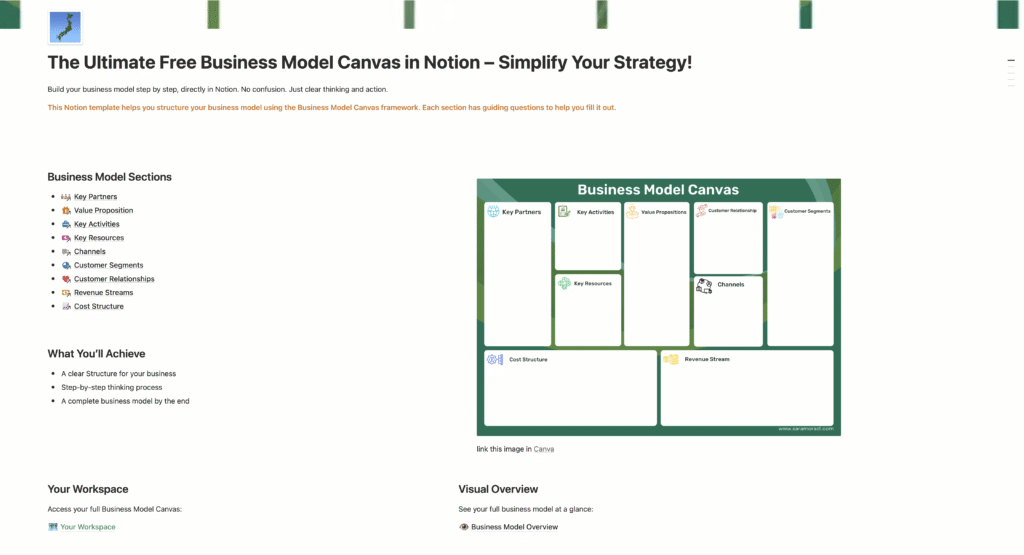
It’s fully customizable, beginner-friendly, and designed specifically for small business owners who want clarity on their business model without needing an MBA to figure it out.
And if you want a step-by-step walkthrough of setting up the canvas inside Notion from scratch, check out this guide: Create Your Business Model Canvas in Notion: Step-by-Step Guide.
Ready to Go Deeper?
Filling out the canvas is just the beginning. Once you have clarity on your business model, the next step is turning it into a working system, one that doesn’t depend entirely on you showing up every single day.

That’s exactly what the Business Model Playbook is built for. It takes you from a filled-out canvas to a fully operational, systemized business model, with templates, frameworks, and step-by-step guidance built right in.
But start here: get the free template, fill out your canvas, and see what becomes clear when you look at your entire business on one page.
Frequently Asked Questions
How long does it take to fill out a Business Model Canvas? Your first draft can take anywhere from 30 minutes to 2 hours, depending on how much clarity you already have on your business. Don’t aim for perfection on the first pass, aim for honest and specific.
Do I need to fill out all 9 blocks? Yes, all 9 blocks work together. Leaving sections blank creates blind spots in your strategy. If a block feels hard to fill in, that’s usually a sign it needs more thinking, not less.
Can I use the Business Model Canvas for a side hustle or new idea? Absolutely. The BMC is just as useful for validating a new idea as it is for mapping an existing business. Use it to stress-test your assumptions before you invest time and money.
What’s the difference between the Business Model Canvas and a business plan? A business plan is a long, detailed document, often 20–50 pages. The Business Model Canvas is a one-page visual snapshot of how your business works. It’s faster to create, easier to update, and more useful for strategic decision-making.
Sara Moradi is a business educator and consultant who helps small business owners systemize and scale their businesses. She is the creator of the Business Model Canvas Playbook and the free BMC Notion template.