
Free Interactive Business Model Canvas in Notion: A Complete Walk-Through
If you’ve ever stared at a blank Business Model Canvas and had no idea where to start, this post is for you.
This is a behind-the-scenes walkthrough of my free interactive Business Model Canvas in Notion. You’ll see exactly what’s inside the template, how each section works, and why it’s built the way it is, so by the time you grab your copy, you already know how to use it.
What Is a Business Model Canvas, and Why Do Most Templates Fall Short?
A Business Model Canvas (BMC) is a one-page framework that maps out the nine key parts of any business: your customer segments, value proposition, channels, customer relationships, revenue streams, key resources, key activities, key partnerships, and cost structure.
The idea is simple: instead of writing a 40-page business plan no one reads, you put your whole business model on one page so you can see the big picture clearly.
The problem? Most BMC templates are just a blank grid. They give you the structure, but no guidance on what to actually write in each box. That’s why most people fill it in quickly and then never look at it again, because it doesn’t actually help them think.
That’s what I wanted to fix when I built this Notion template.
Why I Built This in Notion (and Not as a PDF or Slide)
Notion is the right tool for this for a few specific reasons.
First, it’s living and editable. Your business model changes over time. A PDF is frozen. Notion lets you go back in and update your canvas as your thinking evolves, without starting from scratch.
Second, it’s collaborative. If you work with a team, a co-founder, or even a business coach, you can share the workspace and work through it together in real time.
Third, Notion lets you build structure around your content. This template isn’t just a grid, it has guided questions, status tracking, example entries, and a layout that makes thinking easier, not harder.
A Complete Walk-Through: What’s Inside the Template
Let me show you exactly what you get.
The Home Page: Your Starting Point
When you first open the template, you land on a home page called “The Ultimate Free Business Model Canvas in Notion.” At the center is a visual overview of the full canvas, a green-themed diagram showing all nine blocks clearly labeled: Key Partners, Key Activities, Value Propositions, Customer Relationship, Customer Segments, Key Resources, Channels, Cost Structure, and Revenue Stream.
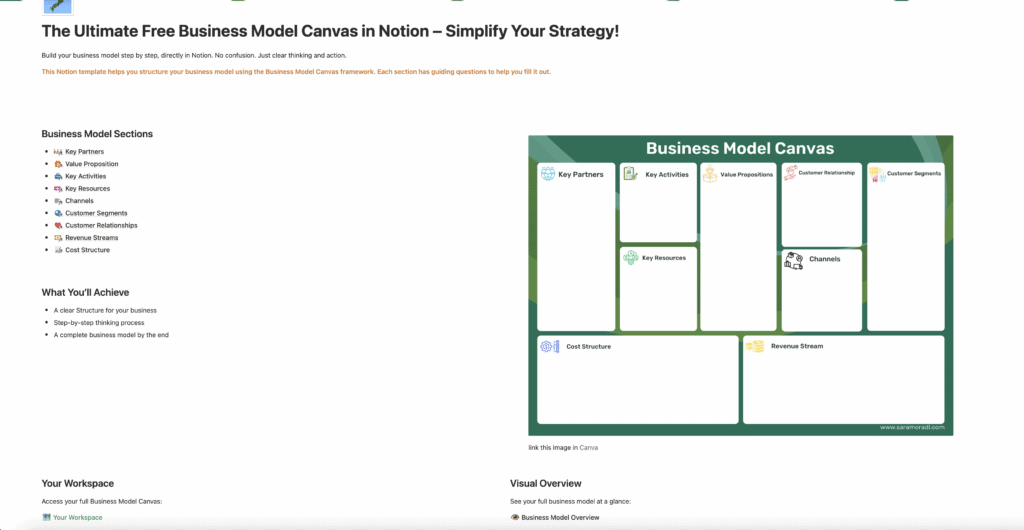
On the left side of the page, you’ll see a table of contents listing all nine sections, so you can jump directly to any block. Below the diagram, there are two more sections: Your Workspace (where you’ll do your actual thinking) and a link to the Comprehensive Business Model Canvas Guide for anyone who wants to go deeper.
The Business Model Overview: Your Big Picture
Opening the canvas takes you to the Business Model Overview page, a visual board where all nine blocks are laid out as color-coded cards. Each card shows a short summary and links to its full section, so you can see your entire business model at a glance without scrolling through individual pages.
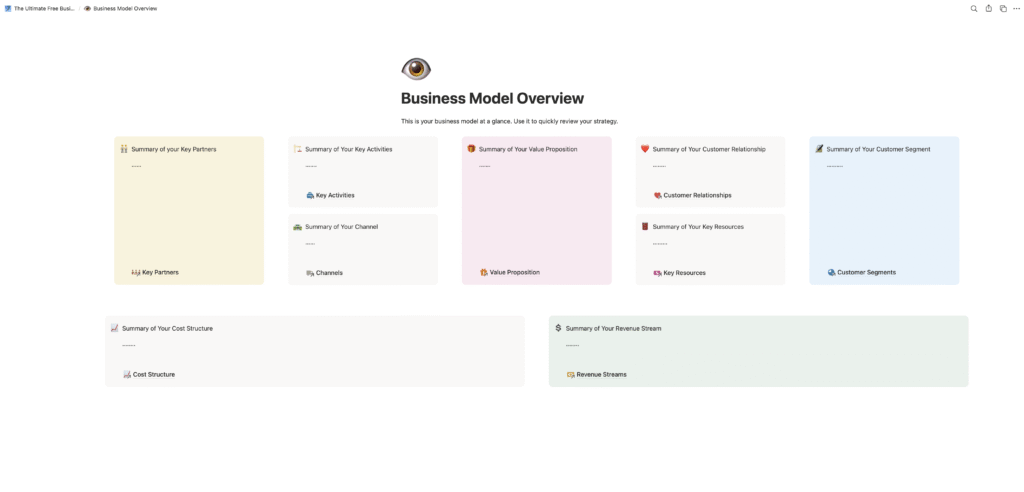
The color coding makes it easy to navigate: Key Partners appears in cream, Value Proposition in a soft rose, Customer Segments in light blue, and Revenue Streams in mint green. It’s a much more visual and scannable way to work than a flat document or spreadsheet.
Your Workspace: The Interactive Board View
Below the overview, you have Your Workspace, and this is where the real work happens.
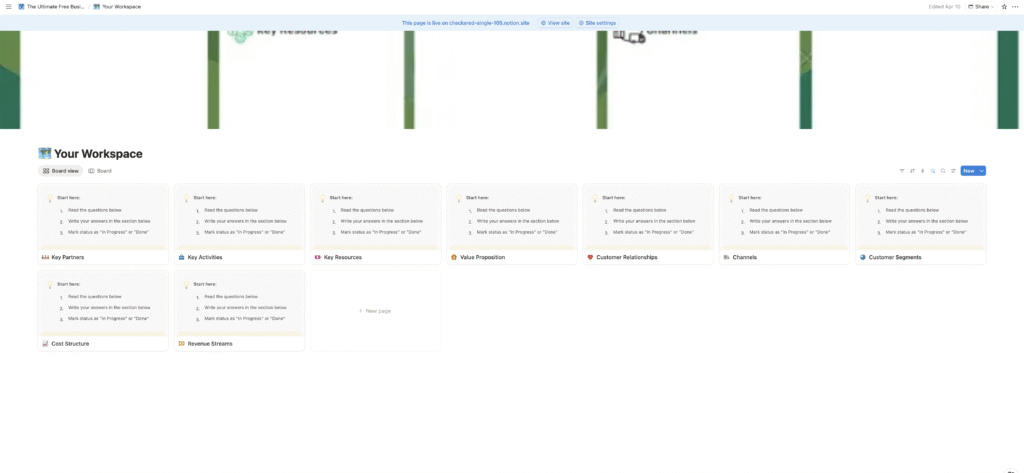
This board view shows all nine blocks side by side as cards. Each card already has “Start here” instructions so you know exactly what to do: read the guiding questions, write your answers, and mark the status as “In Progress” or “Done.”
The status tracking is a small but important feature. It lets you see at a glance which parts of your business model are complete and which still need work, useful when you’re working on this over multiple sessions or collaborating with someone else.
Inside Each Block: Where the Thinking Actually Happens
Here’s what makes this an interactive business model canvas, not just a Notion template.
When you click into any block, you open a dedicated page with real structure inside it. Let me walk you through the Value Proposition block as an example, since it’s often the hardest one to fill in.
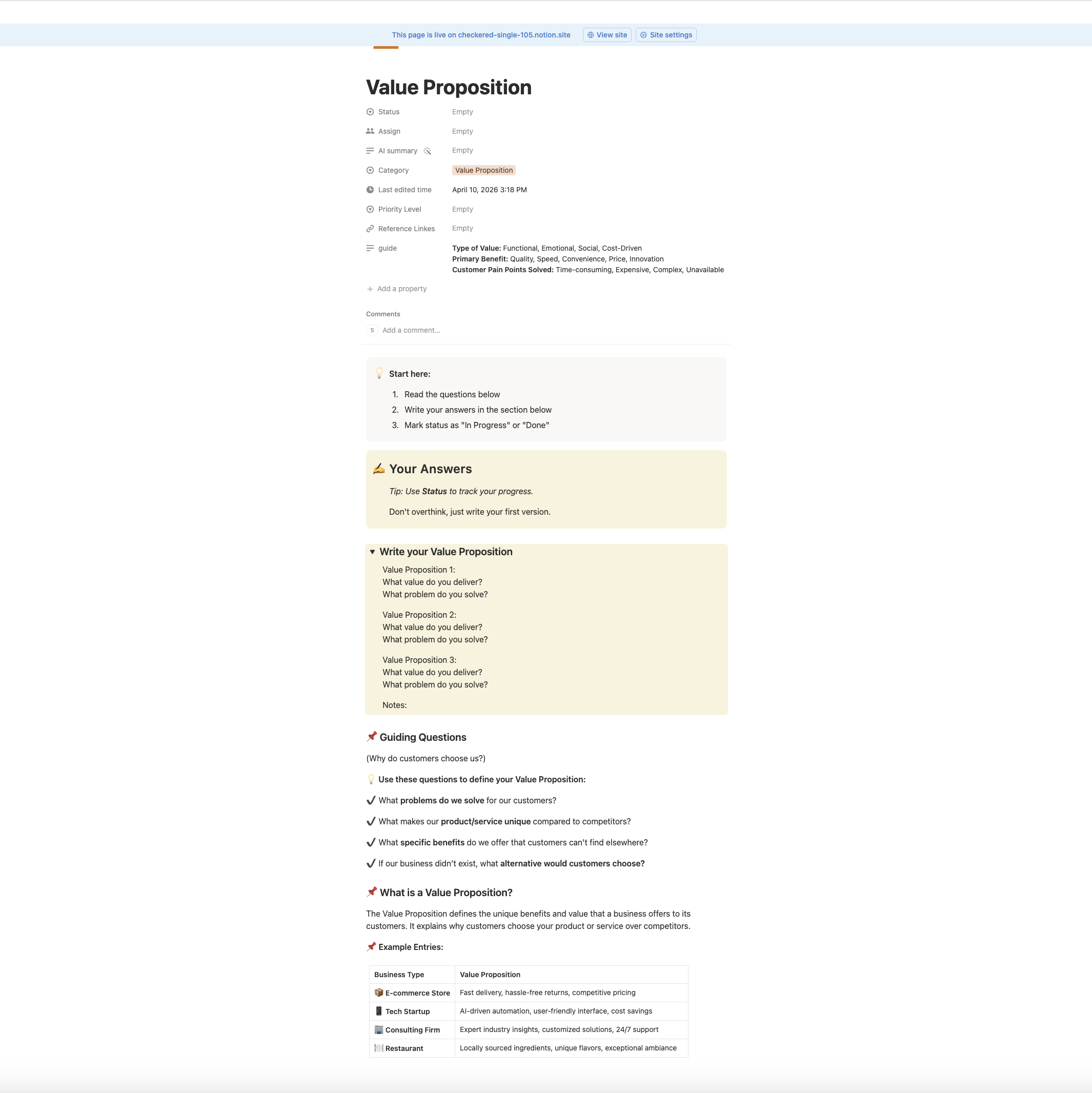
Here’s everything you’ll find inside each block:
Metadata fields at the top: Status (Empty / In Progress / Done), Assign (for team collaboration), AI summary, Category tag, Last edited date, Priority Level, and Reference Links. These fields turn a simple canvas into a proper working document.
Start here box: A simple 3-step prompt: read the questions, write your answers, mark the status. No confusion about where to begin.
Your Answers section: A dedicated, highlighted workspace for your responses. The tip inside reads: “Don’t overthink, just write your first version.” That small nudge matters more than you’d think.
Guiding Questions: For the Value Proposition block, the questions include: What problems do we solve for our customers? What makes our product/service unique compared to competitors? What specific benefits do we offer that customers can’t find elsewhere? If our business didn’t exist, what alternative would customers choose?
These aren’t generic prompts. They’re the same strategic questions I use when I work with consulting clients, designed to push you from vague to specific.
What is a [Block Name]?: A clear, simple definition of the concept so you understand exactly what you’re filling in. For Value Proposition, the template notes the types of value (Functional, Emotional, Social, Cost-Driven), the primary benefits (Quality, Speed, Convenience, Price, Innovation), and the customer pain points it addresses.
Example Entries table: Real-world examples from different business types shown in a comparison table. For the Value Proposition block, you can see how an e-commerce store, tech startup, consulting firm, and restaurant would each describe their value proposition. This makes it much easier to write your own.
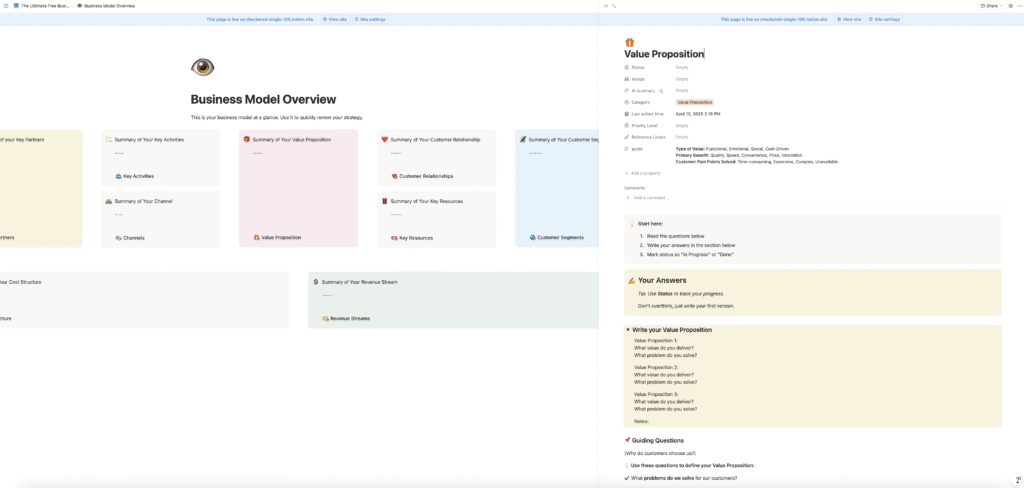
The same structure, metadata, start here box, answer space, guiding questions, definition, and examples, runs through all nine blocks. Once you understand how one works, you know how all of them work.
What You’ll Gain From Using It
A clearer picture of your business. Most business owners carry their business model in their head, disconnected, scattered, and hard to act on. Putting it all in one structured place helps you see the full picture and how the pieces connect.
Gaps and blind spots become obvious. When you work through each block, you’ll often notice sections that are underdeveloped or don’t connect well with the rest of your model. That’s valuable information before you make bigger decisions.
A document you can actually return to. Because it’s in Notion, you can share it, track progress by section, and update it as your business evolves. It grows with you.
Who This Template Is For
This template is designed for small business owners, freelancers, coaches, and consultants who want more clarity in their business model, without spending hours on a complicated business plan.
You don’t need advanced Notion skills. Basic familiarity with Notion is enough to get started immediately.
It’s especially useful if:
- You’re just starting out and want a clear, guided starting point
- Your business has grown and your original model no longer reflects reality
- You keep making reactive decisions and want a clearer strategy to anchor them
- You’re preparing to work with a coach, investor, or partner and want your thinking organized first
How to Get the Template
The template is completely free. Enter your name and email, and I’ll send the Notion link directly to your inbox.
Once you receive it, you duplicate the template into your own Notion workspace, and it’s yours to use and update however you need.
Want to Go Deeper?
The free template is a great starting point. But if you want a more structured, step-by-step guide to filling out your Business Model Canvas with real confidence, including in-depth explanations, real-world examples from multiple industries, and strategic guidance for every block, I also created a full playbook.
It’s 98 pages of practical content designed to take you from scattered ideas to a clear, working business model. It also comes with five ready-to-use templates in Notion, Google Docs, Canva, Excel, and a printable format.
Frequently Asked Questions
Do I need advanced Notion skills to use this template? No. Basic Notion knowledge is enough. If you’ve opened Notion before and know the basics, you can start using this template right away.
Is this template really free? Yes, completely free. You sign up with your name and email, and I send the Notion link to your inbox.
Can I update the canvas as my business changes? Absolutely. That’s one of the main reasons it’s built in Notion. You can revisit it, update it, and refine your business model as often as you need.
Is this only useful for startups? No. It’s just as useful for established small businesses, freelancers, and service providers who want to get clearer on how their business works and where it’s headed.
What’s the difference between this template and the full Playbook? The free template gives you a structured workspace with guided questions to map out your business model. The Playbook gives you detailed explanations, strategic frameworks, and real-world examples for every single block, it’s the right next step for people who want to build their model with more depth and confidence.
Written by Sara Moradi, Business consultant and educator helping small business owners build clearer, more systemized businesses. Learn more about working with Sara →