How to Systemize Your Small Business in 5 Steps
Running a small business is exciting… and exhausting.
You start with passion and purpose, but soon, you’re drowning in to-dos, emails, invoices, and “I’ll do it tomorrow” sticky notes.
At some point, it hits you:
“I can’t keep doing everything myself.”
Here’s the good news: You don’t need a big team to create stability, clarity, and freedom in your business.
What you need are systems.
In this guide, I’ll show you how to systemize your small business in 5 clear, doable steps — no jargon, no overwhelm, just action.
What Does “Systemizing a Business” Really Mean?
Systemizing isn’t about turning your business into a robot. It’s about creating repeatable processes that reduce mental load and help your business run smoothly, even when you’re on vacation (or sick, or just taking a break).
Think of a system as:
-
A clear way of doing something
-
That anyone (including Future You!) can follow
-
Without reinventing the wheel each time
From handling clients to publishing content to managing finances, everything can be systemized.
And the best part? You don’t need fancy software. Just a bit of structure and consistency.
✅ Step 1: Identify What’s Draining You
Start by noticing what feels chaotic or repetitive in your daily work.
Ask yourself:
-
What tasks do I repeat every week?
-
What drains most of my energy?
-
What would I love to never do manually again?
Examples:
-
Responding to the same client questions
-
Sending contracts and invoices
-
Posting on social media without a plan
-
Onboarding every client from scratch
Take notes for 3–5 days, and you’ll begin to spot patterns.
Tool Tip:
Use Toggl Track or a simple spreadsheet to track your time.
Awareness is the first step toward change.
✅ Step 2: Document What Works
You don’t need a 50-page SOP manual.
Start with one simple goal:
Turn your repeated work into checklists, templates, or quick instructions.
For example:
-
Write a step-by-step list for onboarding a new client
-
Create a Notion page or Google Doc with email templates
-
Record a short Loom video explaining how you schedule blog posts
Real-life example:
A freelance designer I worked with cut her admin time in half just by turning her client process into a checklist with auto-filled email templates.
Free Resource:
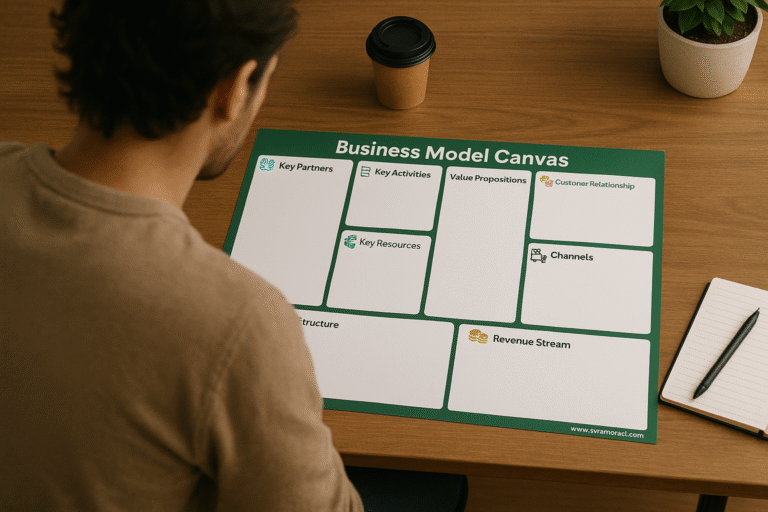
Use this free Business Model Canvas in Notion to begin documenting your core business logic.
✅ Step 3: Build a Simple Systems Hub
Once you’ve documented a few processes, gather them in one central place.
I call this your Business Systems Hub, a digital home for:
-
SOPs (Standard Operating Procedures)
-
Project templates
-
Tools and links
-
Team or client instructions
Recommended tools:
-
Notion: Best all-in-one space for solo business owners
-
Google Drive or Dropbox: For simple file storage
-
Trello or ClickUp: For visual tracking
Keep it clean, simple, and easy to update. You’re building your own internal operating system.
✅ Step 4: Automate What Makes Sense
Automation isn’t just for tech-savvy people. It’s for tired entrepreneurs who are ready to work smarter.
Now that your processes are organized, look for automation opportunities:
Examples:
-
Use Zapier to send an email when a form is submitted
-
Use Calendly to schedule meetings without back-and-forth
-
Use Google Forms + Sheets to collect and analyze data
-
Use Notion with integrated status boards and auto-reminders
Rule of thumb:
Automate only after you’ve documented the process.
Otherwise, you’ll just automate chaos.
✅ Step 5: Delegate with Confidence
Even if you’re not hiring yet, preparing your business for delegation now saves you so much time later.
Your systems become your training manual, so when you bring in a VA, freelancer, or even a partner, you’re not explaining everything from scratch.
✅ With systems, you can:
-
Hand off your inbox (without fear)
-
Get help with repetitive tasks
-
Free yourself up for creative, high-value work
Pro Tip:
Start by delegating one low-risk task, like scheduling social media posts or formatting blog content, and build from there.
Why Systemization Matters, Especially for Small Businesses
Without systems:
-
You feel like you’re always “catching up”
-
Your work isn’t scalable
-
You burn out doing tasks that could be simplified or handed off
With systems:
-
You have more energy, focus, and creative space
-
You make fewer mistakes
-
You’re ready to grow (even slowly) — without everything falling apart
Ready to Start?
Start small. Pick one area of your business that feels messy and document it today.
Then tomorrow, organize it into your hub.
In a week, automate one part.
In a month, you’ll have a smoother business that gives you back control, clarity, and calm.
Free Tool to Help You Start
Free Chapter: Systemize Your Business, One Step at a Time
Grab the first chapter of my upcoming book, it’s packed with real-world tips to help you create processes that actually work.
→ Grab it Now
Get my free Notion Business Model Canvas and begin documenting your business the smart way:
→ Download the template here
Want a more advanced guide with templates, real examples, and systems to plug into?
Check out the full Business System Playbook ($39) here → View Product
☕ Like this content?
If this article helped you, you can say thanks (and support more content like this) here:
→ Buy Me a Coffee